

3D Product Modeling for eCommerce: A Practical Buyer's Guide
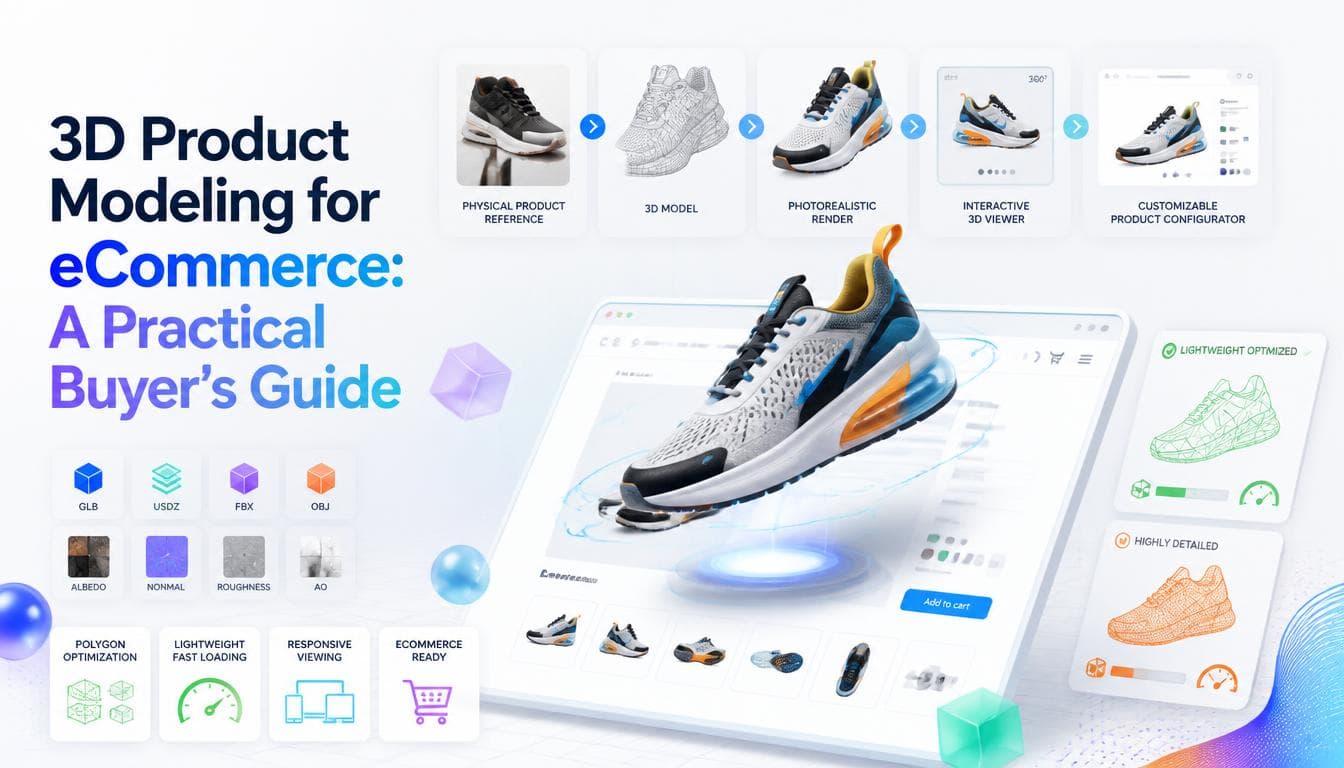
For a product people want to inspect before they buy, a photograph is a compromise. It shows one angle, one finish and one lighting setup, and the customer fills in the rest with guesswork. 3D product modeling for eCommerce closes that gap. A single accurate model can produce studio renders for every colourway, power a viewer the customer can turn in their hand, and drive a configurator that shows exactly what they're ordering. This guide covers what a 3D product model is, the ways stores use one, and what to get right before you commission a catalogue of them.
What 3D product modeling means for an online store
A 3D product model is a digital replica of your product: its geometry, the materials on each surface, and how those materials react to light. Built well, it's accurate enough to stand in for the physical object in almost any visual you need.
The important shift is that the model becomes a source asset, not a finished image. Once it exists, you don't reshoot when you launch a new colour, change a strap or need a lifestyle scene. You change a material or a component and render again, or you let the customer do it live on the product page.
Models usually start from one of three places:
- CAD or manufacturing files, which are precise but built for engineering, not for the web, and need cleaning and retopology
- Photographs, drawings and measurements, which a modeller uses to build the product from scratch
- Concept sketches, for products that don't exist yet and need visuals before manufacturing
Our 3D product modelling service works from any of these, from early sketches through to detailed models ready for presentations, marketing and manufacturing briefs.
Three ways stores use 3D product models
Rendered product images
The simplest use is still images. A model rendered in a virtual studio gives you consistent, clean product shots on demand: every angle, every variant, identical lighting across the whole range. For large catalogues with many colourways, this is often where 3D pays for itself first, because a new variant is a material change rather than a photoshoot.
Interactive 3D viewers
A 3D viewer lets the customer rotate, zoom and inspect the product in the browser. It's especially useful where shape, scale or detail is the buying question: furniture, footwear, equipment, packaging, anything with a back or an inside. Viewers can also hand off to augmented reality on supported phones, so a customer can place the product in their own room.
Product configurators
A configurator goes further. The customer chooses materials, finishes and options, and sees the product and the price update as they go. For configurable or made to order products, this is where most of the value sits, because the customer is no longer imagining the combination they want. They're looking at it. On our eCommerce work, we keep configurator state in the URL, so a customer can send their exact build to a partner or your sales team without screenshots.
Viewers and configurators are where modelling meets engineering. The real time side is built by our immersive web experiences team, and it's a good example of what makes a page interactive rather than decorative.
What makes a model web-ready
A model built for a high end render and a model built to run live in a browser are not the same file. For interactive use, a few things matter a great deal.
Geometry budget
Every polygon has to be drawn on the customer's device, often a mid range phone. Web models need geometry that's detailed where the eye goes and light everywhere else. Fine details like stitching, knurling or embossing are usually better baked into textures than modelled as geometry.
Materials and textures
Modern web viewers use physically based materials, which describe colour, roughness and metalness so the product reacts believably to light. Textures should be sized for how close the customer can actually zoom, and compressed. Oversized textures are the most common reason a 3D viewer loads slowly.
File formats
For the web, glTF and its binary form GLB are the widely supported standard, often called the JPEG of 3D. Apple's AR Quick Look uses USDZ, so stores offering AR on iPhone usually need both. Keeping a high-detail master alongside the optimised web exports means you can re-export later without rebuilding the model.
Loading behaviour
A 3D viewer should never block the product page. Show a proper still image first, load the model when the customer engages or once the page has settled, and keep a static fallback for devices where 3D can't run. The product page has to sell even if not a single frame of 3D renders.
Page speed and SEO still come first
A beautiful viewer on a slow page is a net loss. Product pages carry most of a store's buying intent, and they're judged on how fast they load on a real phone. Budget the 3D the way you'd budget any other asset: measured, lazy-loaded and tested on mid-range hardware.
Search engines also need real content. Product names, descriptions, prices, specifications and structured data should live in the page markup, not inside the 3D canvas. If you're planning a wider rebuild around 3D, our ultimate guide to eCommerce website development covers the platform and architecture decisions that sit underneath it.
When 3D is worth it, and when it isn't
3D modelling earns its cost when:
- the product is configurable, with enough combinations that photographing all of them isn't practical
- shape, scale or detail is a common reason for returns or pre sale questions
- you launch new variants often and reshoots are slowing you down
- the product doesn't exist yet and you need visuals for pre-orders, investors or retailers
- your competitors show flat photos and inspection is part of how customers decide
It's harder to justify for low price, simple products where a good photograph answers every question, or for fast changing catalogues of items that are each sold only briefly. In those cases, rendered images for hero products may be enough, with interactive 3D saved for the lines where it changes the decision.
If you're still weighing whether you need full 3D at all, our comparison of [2D vs 3D modeling for websites](https://www.getweys.com/blog/2d-vs-3d-modeling for websites) covers where flat illustration and diagrams do the job better.
What to ask before you commission models
- What source material will you work from, and what do you need from us?
- How will you check the model's accuracy against the real product?
- Which file formats will we receive, and do we keep the high-detail master?
- What's the target file size and texture resolution for the web version?
- How are materials and variants set up, so new colourways are easy to add?
- Who owns the models, and can we use them across web, print and advertising?
Frequently asked questions
What is 3D product modeling for eCommerce?
It's the process of building an accurate digital replica of a product, including its shape and materials, for use in an online store. The same model can produce rendered product photos, an interactive 3D viewer on the product page, and a configurator where customers choose options. It replaces some or all of traditional product photography with a reusable asset.
Can you build a 3D model from our CAD files?
Usually, yes. CAD files are accurate but built for manufacturing, so they're typically too heavy for the web and need cleaning, simplifying and texturing before they're usable in a viewer. Starting from CAD still saves time compared with modelling from photographs alone.
Will a 3D viewer slow down my product pages?
It doesn't have to. A well built viewer shows a normal image first, loads the model only when needed, and uses compressed geometry and textures. The risk comes from unoptimised models and oversized textures, which is why file size targets should be agreed before modelling starts.
What file format should eCommerce 3D models use?
glTF, usually as a single GLB file, is the most widely supported format for 3D on the web. If you want augmented reality on iPhones through AR Quick Look, you'll also need a USDZ version. Keep a high-detail master file as well so you can re export in future.
Do 3D product models help with SEO?
Not directly, because search engines read the page's text and structured data rather than the 3D scene. They can support SEO indirectly by making the page more useful and engaging. The key is keeping product content in real HTML so the page remains fully crawlable whether or not the 3D loads.
Written by the Getweys studio — Austin, Karachi, Auckland.